A global nonprofit is hosting its annual board meeting with trustees joining from twelve countries. The agenda is substantive: budget approvals, strategic planning, and leadership transitions. Half the room speaks English as a second language. They’ve set up the Zoom meeting, checked the video links, and confirmed attendance. What they haven’t arranged, until two days before the meeting, is interpretation.
It gets handled. But the scramble — and the near-miss on a meeting where every word matters — is a scenario that plays out regularly for organizations that treat professional language solutions as an afterthought to their virtual meeting logistics.
Interpreting Services: Working with Professionals
Zoom interpretation services aren’t a feature you enable the morning of. They’re a professional communication system needing the right platform setup, linguists, and processes.
When it all comes together, multilingual participants follow every word in real time, in their own language, without interrupting the flow of the meeting. That’s what professional interpretation services make possible.
How Zoom Became the Default Room for Global Communication
Understanding remote interpretation services on the Zoom platform starts with recognizing how thoroughly Zoom has consolidated the virtual meeting landscape.
In 2019, Zoom had approximately 10 million daily active users. By mid-2020, that number had increased by 2,900% in just a few months. That kind of growth didn’t reverse when offices reopened after the pandemic lockdowns were lifted. Organizations had built workflows, trained staff, and standardized their communication infrastructure around the platform.
The Global Power of Zoom
An estimated 91% of international virtual conferences are now hosted on Zoom. Used by 70% of Fortune 100 companies, it processes over 3.3 trillion meeting minutes annually. For organizations managing multilingual meetings and video remote interpreting, this consolidation has a very practical implication: knowing how to set up and run professional interpretation on Zoom specifically is a core operational capability
What Zoom Interpretation Services Actually Are
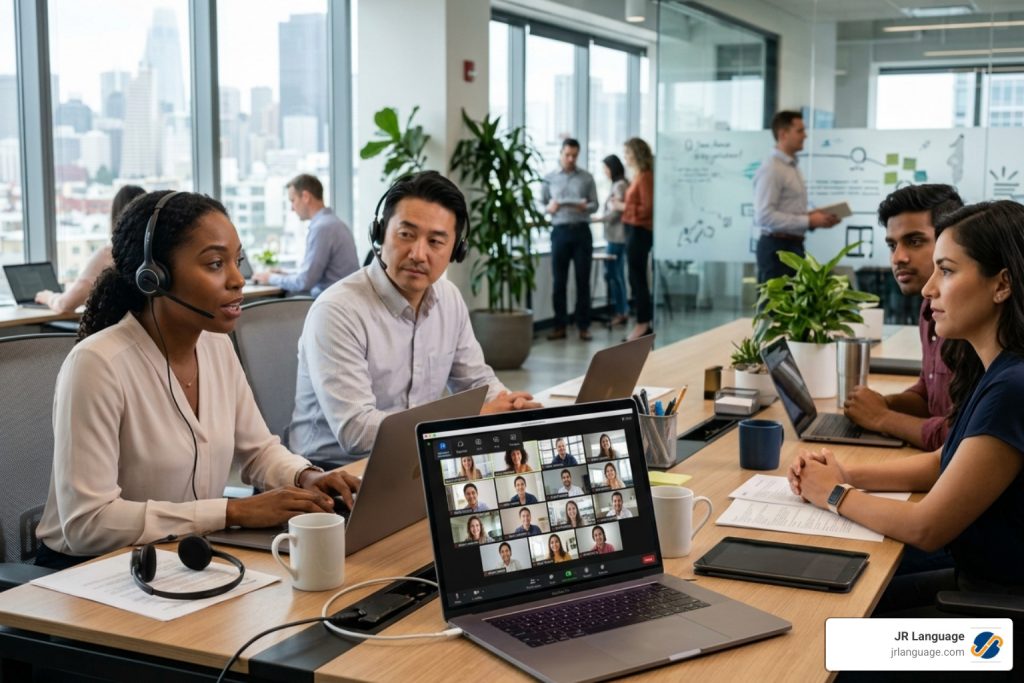
Here’s a distinction that surprises many first-time buyers: Zoom provides the infrastructure for interpretation: the audio channel architecture, the language selection interface, and the technical framework. Zoom does not provide interpreters.
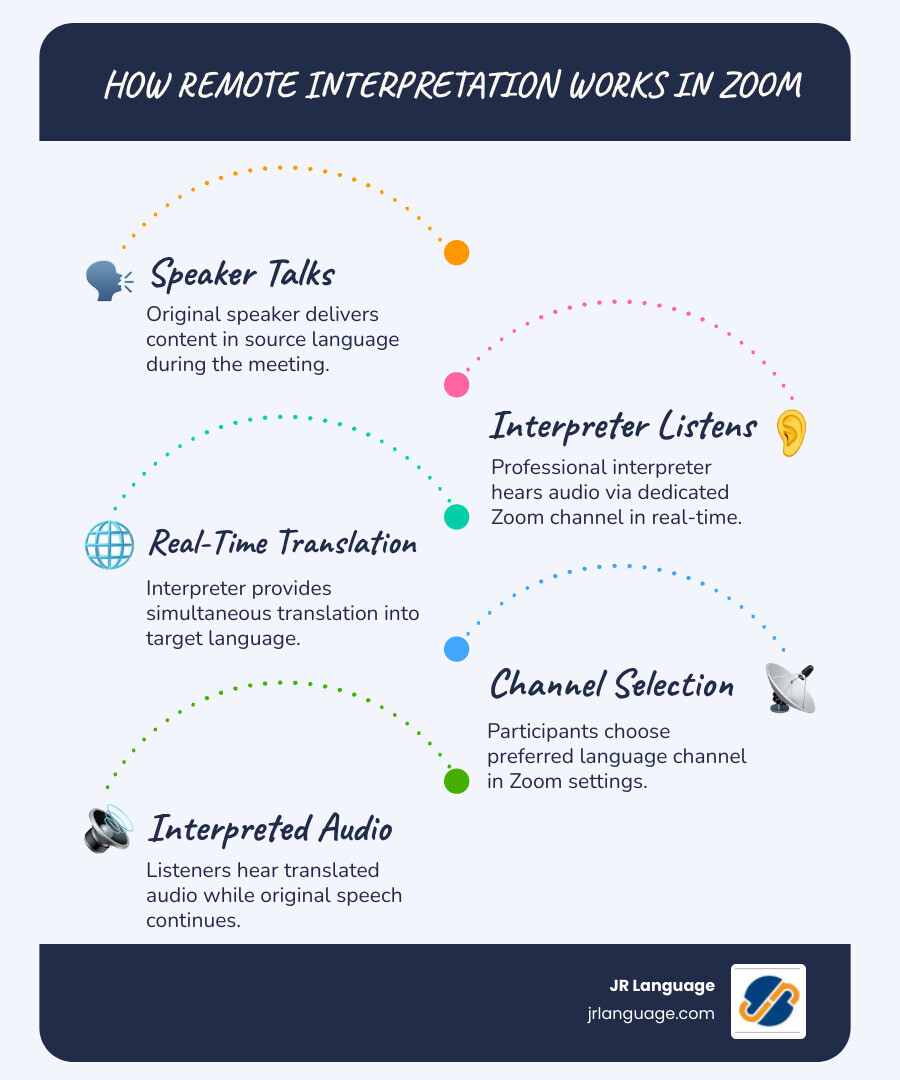
When a host enables the language interpretation feature in a paid Zoom account (Business, Education, or Enterprise tier), it creates dedicated audio channels within the meeting. Participants can select their preferred language from the globe icon in the toolbar and hear real-time interpretation.
You Still Need Professional Interpreters
The original speaker continues talking; participants on a language channel hear the interpreter at full volume with the original speaker’s voice faintly audible in the background at around 20% volume — enough to provide rhythm and context without creating confusion.
The professional interpreters who work those channels are sourced separately, through a language services provider such as JR Language. This is where the quality of the experience is determined. Zoom delivers the channel. The interpreter delivers the communication.
Simultaneous Interpretation: What It Requires of the Human Doing It
Simultaneous interpretation — the mode used for most Zoom meetings and virtual conferences — is among the most cognitively demanding tasks a person can perform professionally. The interpreter listens to speech in one language, processes it for meaning, and renders it in a second language in real time. They are typically running only a few seconds behind the speaker. This happens continuously, without pauses. The original speaker keeps talking.
This has a direct practical implication for how organizations should plan and budget Zoom interpretation services. A two-hour multilingual meeting with three target languages requires six professional interpreters, not three. An organization that doesn’t know this — or that hires a single interpreter per language to cut costs — will see quality degrade visibly in the second half of every meeting, as the interpreter’s accuracy, fluency, and energy diminish under sustained cognitive load.
Setting Up Zoom for Professional Interpretation
Getting the technical side right requires a few steps that are easy to miss. The language interpretation feature must be enabled in your Zoom account settings before the meeting — it doesn’t appear by default on all accounts and in some cases requires activation through Zoom support. When scheduling the meeting, the interpretation option lets you enter the interpreter’s email addresses and assign their language pairs in advance. A few technical requirements matter significantly:
- Hosts and interpreters must use the Zoom desktop application — the browser version does not support interpretation channel management
- Never use a Personal Meeting ID for interpreted sessions; always generate a new meeting ID to ensure all features function correctly
- Start the session at least 15 minutes early to test audio levels with interpreters before participants join
- Interpreters must join using the exact email address entered during scheduling to be automatically recognized by the system
For consecutive interpretation — where the speaker pauses periodically to allow the interpreter to speak — the setup is simpler, as it uses the main audio channel rather than dedicated language feeds. This mode works for small meetings and interviews but effectively doubles the meeting time, making it impractical for larger sessions. How to enable language interpretation in Zoom? We offer a step-by-step guide
Industries Where Zoom Interpretation Services Are Most in Demand
Healthcare and Telehealth
Healthcare providers using Zoom for patient consultations, clinical team meetings, or administrative sessions involving non-English speakers have both a communication need and a legal obligation. Professional medical interpreters working via Zoom must understand clinical terminology, HIPAA compliance requirements, and the ethical standards governing interpretation in medical settings. This includes accuracy standards that are significantly more exacting than general business interpretation.
Legal Proceedings and Depositions
Remote legal proceedings conducted on Zoom require interpreters with specific knowledge of legal terminology, procedures, and the ethical obligations governing court interpretation. A deposition or hearing in which the quality of interpretation is questioned can affect the proceeding itself. Legal interpretation services are a specialized field within a specialized field.
International Business and Conferences
For corporate meetings, investor communications, board sessions, and virtual conference interpretation involving multilingual audiences, professional interpreters ensure that every participant has full access to the discussion—not a partial, uncertain understanding filtered through a second language. In negotiations or strategic discussions, that difference is not abstract.
Education and Training
Educational institutions running international programs or training sessions across languages need interpretation services that can handle academic content, maintain engagement over extended sessions, and support the learning environment rather than interrupt it.
Professional Interpretation Services for Every Meeting, Every Language
At JR Language Translation Services, our interpretation team includes native-speaking professionals with industry-specific experience across legal, medical, corporate, and conference settings. We work with organizations to set up Zoom interpretation correctly — from the technical configuration through interpreter briefing and session management — so that the language side of your meeting is handled with the same professionalism as the content itself.
Whether you need interpretation services for a single multilingual meeting or ongoing support for a global program, we’re ready to discuss your needs. Contact our team to learn more about our Zoom interpretation services and get a clear picture of what your session requires.